Courses Detail
course detail
Courses
detail
Lorem ipsum dolor sit amet, consectetur adipiscing elit. Aenean maximus nec risus at lobortis. Quisque pulvinar venenatis ante, a placerat dui bibendum non.
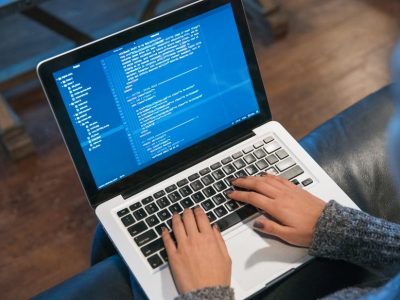
Introduction to computing
Computer basic courses typically cover fundamental concepts and skills related to using computers and various software applications. Ms word, Ms. excel and Ms Power point etc.
COURSE OBJECTIVES:
- Gain a solid understanding of computer hardware components, including CPUs, motherboards, memory, storage devices, and power supplies.
- Learn about various operating systems, including Windows, macOS, Linux, and mobile operating systems.
- Develop skills in configuring, installing, and troubleshooting software applications and operating systems.
- Explore networking concepts, such as IP addressing, network protocols, and common network troubleshooting techniques.
- Acquire knowledge of cybersecurity best practices, including threat detection, prevention, and data security.
- Develop essential troubleshooting skills to diagnose and resolve hardware and software issues.
- Prepare for the CompTIA A+ certification exams (220-1001 and 220-1002) to obtain the CompTIA A+ certification.
COURSE CONTENTS:
Hardware
- Technician Essentials and Computer/Device Anatomy
- Configure and Use BIOS/UEFI Tools
- RAM Types and Features
- PC Expansion Cards
- Storage Devices
- CPUs
- Ports and Interfaces
- Designing and Building Custom PC Configurations
- Using, Maintaining, and Installing Printers and Multifunction Devices
- Networking
- Mobile Devices
- Hardware and Network Troubleshooting
Software
- Windows Operating Systems Features and Installation
- Managing Microsoft Windows
- Networking Microsoft Windows
- Operational Procedures
- OS X and Linux
- Virtualization, Cloud Computing, and Network Services
- Mobile Operating Systems and Devices
- Security
- Troubleshooting Desktop and Mobile Operating Systems
Course Delivery:
- Instructor-led training sessions
- Hands-on labs and simulations
- Interactive discussions and Q&A sessions
- Practice exams and quizzes
- Comprehensive study materials and resources
Target Audience:
- Individuals pursuing a career in IT support or technical roles.
- Entry-level IT professionals seeking to enhance their foundational knowledge.
- Anyone interested in obtaining the CompTIA A+ certification.
By completing this CompTIA, A+ training, you will gain the necessary skills and knowledge to excel in IT support roles and pave the way for further career advancement in the IT industry.

CompTIA A+
Basic
The CompTIA A+ certification is a globally recognized credential that validates the foundational skills and knowledge required to excel in the IT industry.
COURSE OBJECTIVES:
- Gain a solid understanding of computer hardware components, including CPUs, motherboards, memory, storage devices, and power supplies.
- Learn about various operating systems, including Windows, macOS, Linux, and mobile operating systems.
- Develop skills in configuring, installing, and troubleshooting software applications and operating systems.
- Explore networking concepts, such as IP addressing, network protocols, and common network troubleshooting techniques.
- Acquire knowledge of cybersecurity best practices, including threat detection, prevention, and data security.
- Develop essential troubleshooting skills to diagnose and resolve hardware and software issues.
- Prepare for the CompTIA A+ certification exams (220-1001 and 220-1002) to obtain the CompTIA A+ certification.
COURSE CONTENTS:
Hardware
- Technician Essentials and Computer/Device Anatomy
- Configure and Use BIOS/UEFI Tools
- RAM Types and Features
- PC Expansion Cards
- Storage Devices
- CPUs
- Ports and Interfaces
- Designing and Building Custom PC Configurations
- Using, Maintaining, and Installing Printers and Multifunction Devices
- Networking
- Mobile Devices
- Hardware and Network Troubleshooting
Software
- Windows Operating Systems Features and Installation
- Managing Microsoft Windows
- Networking Microsoft Windows
- Operational Procedures
- OS X and Linux
- Virtualization, Cloud Computing, and Network Services
- Mobile Operating Systems and Devices
- Security
- Troubleshooting Desktop and Mobile Operating Systems
Course Delivery:
- Instructor-led training sessions
- Hands-on labs and simulations
- Interactive discussions and Q&A sessions
- Practice exams and quizzes
- Comprehensive study materials and resources
Target Audience:
- Individuals pursuing a career in IT support or technical roles.
- Entry-level IT professionals seeking to enhance their foundational knowledge.
- Anyone interested in obtaining the CompTIA A+ certification.
By completing this CompTIA, A+ training, you will gain the necessary skills and knowledge to excel in IT support roles and pave the way for further career advancement in the IT industry.

CCNA (CISCO CERTIFIED NETWORK ASSOCIATE)
The CCNA (Cisco Certified Network Associate) training program provides comprehensive instruction on networking fundamentals, Cisco technologies,
COURSE OBJECTIVES:
- Gain a solid understanding of computer hardware components, including CPUs, motherboards, memory, storage devices, and power supplies.
- Learn about various operating systems, including Windows, macOS, Linux, and mobile operating systems.
- Develop skills in configuring, installing, and troubleshooting software applications and operating systems.
- Explore networking concepts, such as IP addressing, network protocols, and common network troubleshooting techniques.
- Acquire knowledge of cybersecurity best practices, including threat detection, prevention, and data security.
- Develop essential troubleshooting skills to diagnose and resolve hardware and software issues.
- Prepare for the CompTIA A+ certification exams (220-1001 and 220-1002) to obtain the CompTIA A+ certification.
COURSE CONTENTS:
Hardware
- Technician Essentials and Computer/Device Anatomy
- Configure and Use BIOS/UEFI Tools
- RAM Types and Features
- PC Expansion Cards
- Storage Devices
- CPUs
- Ports and Interfaces
- Designing and Building Custom PC Configurations
- Using, Maintaining, and Installing Printers and Multifunction Devices
- Networking
- Mobile Devices
- Hardware and Network Troubleshooting
Software
- Windows Operating Systems Features and Installation
- Managing Microsoft Windows
- Networking Microsoft Windows
- Operational Procedures
- OS X and Linux
- Virtualization, Cloud Computing, and Network Services
- Mobile Operating Systems and Devices
- Security
- Troubleshooting Desktop and Mobile Operating Systems
Course Delivery:
- Instructor-led training sessions
- Hands-on labs and simulations
- Interactive discussions and Q&A sessions
- Practice exams and quizzes
- Comprehensive study materials and resources
Target Audience:
- Individuals pursuing a career in IT support or technical roles.
- Entry-level IT professionals seeking to enhance their foundational knowledge.
- Anyone interested in obtaining the CompTIA A+ certification.
By completing this CompTIA, A+ training, you will gain the necessary skills and knowledge to excel in IT support roles and pave the way for further career advancement in the IT industry.
Introduction to computing
Click edit button to change this text. Lorem ipsum dolor sit amet, consectetur adipiscing elit.
COURSE OBJECTIVES:
- Gain a solid understanding of computer hardware components, including CPUs, motherboards, memory, storage devices, and power supplies.
- Learn about various operating systems, including Windows, macOS, Linux, and mobile operating systems.
- Develop skills in configuring, installing, and troubleshooting software applications and operating systems.
- Explore networking concepts, such as IP addressing, network protocols, and common network troubleshooting techniques.
- Acquire knowledge of cybersecurity best practices, including threat detection, prevention, and data security.
- Develop essential troubleshooting skills to diagnose and resolve hardware and software issues.
- Prepare for the CompTIA A+ certification exams (220-1001 and 220-1002) to obtain the CompTIA A+ certification.
COURSE CONTENTS:
Hardware
- Technician Essentials and Computer/Device Anatomy
- Configure and Use BIOS/UEFI Tools
- RAM Types and Features
- PC Expansion Cards
- Storage Devices
- CPUs
- Ports and Interfaces
- Designing and Building Custom PC Configurations
- Using, Maintaining, and Installing Printers and Multifunction Devices
- Networking
- Mobile Devices
- Hardware and Network Troubleshooting
Software
- Windows Operating Systems Features and Installation
- Managing Microsoft Windows
- Networking Microsoft Windows
- Operational Procedures
- OS X and Linux
- Virtualization, Cloud Computing, and Network Services
- Mobile Operating Systems and Devices
- Security
- Troubleshooting Desktop and Mobile Operating Systems
Course Delivery:
- Instructor-led training sessions
- Hands-on labs and simulations
- Interactive discussions and Q&A sessions
- Practice exams and quizzes
- Comprehensive study materials and resources
Target Audience:
- Individuals pursuing a career in IT support or technical roles.
- Entry-level IT professionals seeking to enhance their foundational knowledge.
- Anyone interested in obtaining the CompTIA A+ certification.
By completing this CompTIA, A+ training, you will gain the necessary skills and knowledge to excel in IT support roles and pave the way for further career advancement in the IT industry.
CompTIA A+
Basic
The CompTIA A+ certification is a globally recognized credential that validates the foundational skills and knowledge required to excel in the IT industry.
COURSE OBJECTIVES:
- Gain a solid understanding of computer hardware components, including CPUs, motherboards, memory, storage devices, and power supplies.
- Learn about various operating systems, including Windows, macOS, Linux, and mobile operating systems.
- Develop skills in configuring, installing, and troubleshooting software applications and operating systems.
- Explore networking concepts, such as IP addressing, network protocols, and common network troubleshooting techniques.
- Acquire knowledge of cybersecurity best practices, including threat detection, prevention, and data security.
- Develop essential troubleshooting skills to diagnose and resolve hardware and software issues.
- Prepare for the CompTIA A+ certification exams (220-1001 and 220-1002) to obtain the CompTIA A+ certification.
COURSE CONTENTS:
Hardware
- Technician Essentials and Computer/Device Anatomy
- Configure and Use BIOS/UEFI Tools
- RAM Types and Features
- PC Expansion Cards
- Storage Devices
- CPUs
- Ports and Interfaces
- Designing and Building Custom PC Configurations
- Using, Maintaining, and Installing Printers and Multifunction Devices
- Networking
- Mobile Devices
- Hardware and Network Troubleshooting
Software
- Windows Operating Systems Features and Installation
- Managing Microsoft Windows
- Networking Microsoft Windows
- Operational Procedures
- OS X and Linux
- Virtualization, Cloud Computing, and Network Services
- Mobile Operating Systems and Devices
- Security
- Troubleshooting Desktop and Mobile Operating Systems
Course Delivery:
- Instructor-led training sessions
- Hands-on labs and simulations
- Interactive discussions and Q&A sessions
- Practice exams and quizzes
- Comprehensive study materials and resources
Target Audience:
- Individuals pursuing a career in IT support or technical roles.
- Entry-level IT professionals seeking to enhance their foundational knowledge.
- Anyone interested in obtaining the CompTIA A+ certification.
By completing this CompTIA, A+ training, you will gain the necessary skills and knowledge to excel in IT support roles and pave the way for further career advancement in the IT industry.
CCNA (CISCO CERTIFIED NETWORK ASSOCIATE)
The CCNA (Cisco Certified Network Associate) training program provides comprehensive instruction on networking fundamentals, Cisco technologies,
COURSE OBJECTIVES:
- Gain a solid understanding of computer hardware components, including CPUs, motherboards, memory, storage devices, and power supplies.
- Learn about various operating systems, including Windows, macOS, Linux, and mobile operating systems.
- Develop skills in configuring, installing, and troubleshooting software applications and operating systems.
- Explore networking concepts, such as IP addressing, network protocols, and common network troubleshooting techniques.
- Acquire knowledge of cybersecurity best practices, including threat detection, prevention, and data security.
- Develop essential troubleshooting skills to diagnose and resolve hardware and software issues.
- Prepare for the CompTIA A+ certification exams (220-1001 and 220-1002) to obtain the CompTIA A+ certification.
COURSE CONTENTS:
Hardware
- Technician Essentials and Computer/Device Anatomy
- Configure and Use BIOS/UEFI Tools
- RAM Types and Features
- PC Expansion Cards
- Storage Devices
- CPUs
- Ports and Interfaces
- Designing and Building Custom PC Configurations
- Using, Maintaining, and Installing Printers and Multifunction Devices
- Networking
- Mobile Devices
- Hardware and Network Troubleshooting
Software
- Windows Operating Systems Features and Installation
- Managing Microsoft Windows
- Networking Microsoft Windows
- Operational Procedures
- OS X and Linux
- Virtualization, Cloud Computing, and Network Services
- Mobile Operating Systems and Devices
- Security
- Troubleshooting Desktop and Mobile Operating Systems
Course Delivery:
- Instructor-led training sessions
- Hands-on labs and simulations
- Interactive discussions and Q&A sessions
- Practice exams and quizzes
- Comprehensive study materials and resources
Target Audience:
- Individuals pursuing a career in IT support or technical roles.
- Entry-level IT professionals seeking to enhance their foundational knowledge.
- Anyone interested in obtaining the CompTIA A+ certification.
By completing this CompTIA, A+ training, you will gain the necessary skills and knowledge to excel in IT support roles and pave the way for further career advancement in the IT industry.
open admiSsions
Lorem ipsum dolor sit amet, consectetur adipiscing elit. Phasellus lobortis velit erat, sed dictum orci bibendum ut. Nullam feugiat purus eget tempus ultrices. Suspendisse eleifend leo eget hendrerit molestie.

UP Coming
course
stay up to date with learn fast events
Click edit button to change this text. Lorem ipsum dolor sit amet, consectetur adipiscing elit. Ut elit tellus, luctus nec ullamcorper mattis, pulvinar dapibus leo.
computer
basic
Click edit button to change this text. Lorem ipsum dolor sit amet, consectetur adipiscing elit.
Network
ccna
Click edit button to change this text. Lorem ipsum dolor sit amet, consectetur adipiscing elit.
Basic
application
Click edit button to change this text. Lorem ipsum dolor sit amet, consectetur adipiscing elit.